Post Singularity Ethics – Ethical Decision Making tools in an unknown environment

Ethical Decision making tools: are Anything we use to make ethical decisions. Examples include, but are not limited too, laws, the golden rule, personal values, asking WWJD, parents values, religion, duty, Peer pressure or Culture.

We use all sorts of ethical decisions making tools in day to day life. One of the biggest questions in ethics is what tool should we use as an overarching principle. What if two or more Ethical Decision making tools tell us to act in a different manner? Which one is correct? What if the world changes drastically and one that we used in the past no longer helps us survive and thrive.


Ethical Decision-Making Tools: Useful But Not Universal

We possess a wide array of ethical decision-making tools shaped by cultural norms, biology, religion, and personal experiences. These tools offer guidance for navigating everyday ethical dilemmas. They promote positive behaviors, minimize harm, and facilitate trust and cooperation within societies.

While valuable for everyday life, traditional ethical tools often falter in extreme or complex situations. Thought experiments, such as the classic ‘torture to save innocents’ scenario, expose their limitations. Even seemingly absolute rules, like ‘never hit an innocent child,’ can be challenged in extremely improbable contexts. These thought experiments emphasize the need for more foundational ethical principles that remain valid even in drastically different environments. Why would most people say it is both true you should “never hit an innocent child” but you would if the outocme of not doing it was so bad. The fact that we would hit an innocent child if the outcome of not doing so was bad enought shows we have some other factor bigger than this

False bottom lines

Ethical Decision-Making Tools tools often serve as false bottom lines – rules that generally promote good consequences but might need to be transgressed in rare situations. In a world where change is gradual, traditional ethical tools maintain much of their utility over time.

The Challenge of Rapid Change
The potential challenge arises in a world of accelerating change, like the post-singularity environment. Such a world might feature drastically different minds and environments, rendering traditional ethical tools inadequate or even harmful.

The post-singularity world is inherently unknowable. We can’t predict what it will hold, and we recognize the need for an ethical framework that can adapt to the unpredictable. Something much more vauge than what we generally think of absolute right now. The Existing norms and principles may no longer be reliable guides if the world and its inhabitants change significantly.

Traditional ethical tools offer valuable guidance in the world we know. However, their limitations lie int the fact they are not capable of guiding us even when faced with the completely unknown.

The usefulness of traditional rule-based frameworks in a completely unknown (post singularity) world is questionable. Here’s a breakdown of why that’s the case:

  • Limited Context: Our existing moral rules evolved within a specific context – that of human interactions on Earth. They’re designed to address familiar situation given our understanding of human preferences and the environments we interact with. This may be completely irrelevant when facing minds and environments that are completely different from those these rules sprung from.
  • Unforeseen Consequences: Even ethical decision making tools that have served us well within our own experience could have wildly unpredictable or even disastrous consequences in a drastically different context. We lack the knowledge base to assess whether a rule would lead to positive or negative outcomes. We would not expect the ways ethical decision making tools come into being with current minds and environment to be helpful in a completely different world.

    When we have no reliable way to predict consequences of a rule, norm or other ethical decision making tool, it might be wiser to admin that while they may useful and necessary in specific situations, no day to day ethical tool that provides utility now will be able to also be a first principle that we want to always rely on.

So, what does this mean?

  • Acknowledging Limits of ethical decision making tools: It’s crucial to recognize that existing ethical frameworks aren’t inherently designed or evolved for universally unknown scenarios.
  • Focus on the Goal: This highlights the importance of keeping the ultimate goal in mind: maximizing the well-being of sentient beings within this unknown context. We might need a new set of starting principles for ethical action in truly alien worlds

What could we want.

Traditional Consequentialists understand that if the world changes the ethical decision making tool will give us drastically different results and the results are what matter. But by useing consequences as the day to day ethical decision making tool, we often get worse results than if we just used an ethical decision making tool that is not consequences based.

good consequences are what we want …
but
aiming for them is not how we get to them

So using consequences as a north star does not always get you good consequences as reliably as non consequence based ethical decision making tool. We can see the value of these ethical decision making tool because they work for the goal, and aiming for the goal reliable does not get us to the goal.

That said, these ethical decision making tool are not the thing we want to optimise for, good outcomes are what we care about. So we sould use ethical decision making tool but change the ones we use as the environemtn chagnes.

We make guesses about the minds.

    Commerce Frictions

    Commerce Frictions

    Frictions are anything that slows down or stops two or more parties from having a mutually positive experience. Common commerce frictions include:

    Price

    Availability

    Product knowledge

    Discovery

    Payment and terms

    Commerce frictions / Price:

    For any product, there is the highest price the shopper is willing to pay and the lowest price the retailer is willing to sell it for. As long as the listed price of the product is between these two numbers, both parties are happy. Buyers want the product for the lowest price as possible. When a retailer is willing to sell a product at a lower price than what is listed, the buyer is losing the difference between those amounts because they do not have complete information. When the buyer is willing to pay more than what is being asked, retailers are losing out on additional profit.

    From the buyer’s perspective, it is best to find the lowest price a retailer is willing to sell for. Any time the buyer pays more than necessary or the retailer sells for less than they could have received, they are experiencing information friction that is stopping them from maximizing their benefit. In this case, one person’s loss is another person’s gain, but this is not always the case.

    Another friction that can take place is when there is no transaction because the buyer did not know how low the seller would go or the seller did not know how high the buyer would go. A buyer that would have bought an item for $10 but only believed the seller would go as low as $11 is sacrificing a potentially positive transaction because of missing pricing information. This missed transaction can be considered a commerce friction because it stopped two parties from having a favorable exchange.

    Commerce frictions / Availability:

    A customer may want something immediately but must wait two hours, two days or two weeks to receive it. The product exists but is not close to the customer.

    This friction can be resolved in two ways.

    A better understanding of who has an item for sale. This may include the store down the street or the person living next door. It could even mean someone that does not have the exact item but would be willing to sell you a similar item that would work but is not 100 percent what you are looking for.

    A better understanding of who wants an item. If the seller knows who will need an item, they will transport it to a warehouse closer to the buyer or better advertise it to the right person. If red rain jackets are popular in Seattle but not in Atlanta this season, retailers can be sure to move the inventory to the northeast distribution centers.

    Commerce frictions / Product knowledge

    If a buyer is not confident that a product is one they will like, fit well, last or complete a task, they may not purchase it. Even if it will do these things, the lack of knowledge could prevent them from purchasing the item. Buyers may never find all relevant knowledge but retailers can provide as much information as possible.

    Customer reviews, online videos, and new technology such as augmented reality can help shoppers make better decisions even when they are unable to view the item in person. Shoppers are unable to touch a coffee table when shopping for one online but they can read customer reviews and use augmented reality to see what it will look like in their house. Neither of these are available when simply visiting the physical store to look at the table in person.
    Commerce frictions / Discovery:

    There are many products that exist that—if known about—a buyer would gladly purchase. A pair of pants that perfectly fits an individual’s size, style, and price range may exist but if the shopper does not know where to find them, the cost in time or money (frictions) to discover the item is a real roadblock. New businesses and features are forming to combat this. Customers are no longer limited to purchasing items that are close to them in proximity. Alibaba, Wish, eBay and others are eliminating many of the discovery frictions related to eCommerce.

    Commerce frictions / Payment Options and Terms:

    Many frictions are related to how, when, and how safe customers feel when paying. Providing a variety of options including credit cards, PayPal and Amazon payments would be a great start. New options such as Apple Pay and Bitcoin are also becoming popular for several reasons.

    Offer customers the option to pay the way they want.

    The ability to offer credit to the right people based on new forms of data is an interesting and evolving business. Signals that help banks or other lending institutions are continually increasing. Tala Mobile services give people micro-loans in Kenya, Tanzania, and the Philippines based on how they use their phones. These services examine hundreds of clues from the user’s phone such as how often and when they use it, what apps they use as well as other signals to provide instant loans to people that would not have qualified in the past using traditional methods.

    Chapter 4

    E-Commerce site structure and elements

    Each section of a traditional eCommerce website has specific elements, expectations, and purposes. Most websites have similar structural elements and workflow that users have come to expect. E-Commerce sites often draw on aspects of traditional retail stores by using the brick and mortar symbols of checkouts and shopping carts. Stating that a shopper is “adding something to their cart” fits with how customers have traditionally thought about the shopping experience. They understand the analogy of a shopping cart or checkout line and quickly learn that adding an item to the “cart” does not mean the purchase is finalized but that “checking out” will complete the payment and purchase, in the same way it would at the store down the street. Understanding what people expect online as well as what they expect when shopping in general will help retailers create a better eCommerce experience as well as increase the chance that the customer will be  loyal and happy.

    Template / Theme
    ● Header

    ● Footer
    ● Colors
    ● Fonts
    ● Page header banners

    ● Side navigation

    Pages
    ● Home
    ● Category List
    ● Product List
    ● Product Detail Page
    ● Shopping Cart
    ● Checkout
    ● My Account
    ● Static

    Off Site

    ● Review sites

    ● Social media sites

    ● Articles

    Website Structure / Template

    The website template consists of a header, footer, and a few other elements that are on all or most of the site’s pages. It could also include colors, fonts, and other design elements.


    Templates provide a consistent shopping experience and design that fits the brand message. 

    Keeping aspects of your site consistent will allow users to feel safe while navigating and exploring. It is often useful to follow conventional template structures found on other eCommerce websites. Shoppers are familiar with how to shop online and trying to create new interfaces can be confusing.

    The template also provides a look and feel that fits the brand message. The colors, fonts, and photos used on sites for dolls, skateboards or insurance would be very different. The design elements, use of language and theme of the site needs to consistently tell your brand story, whether it is fun, excitement or safety.

    Main Elements:
    ● Header

    ● Footer
    ● Navigation

    ● Theme / Colors / Fonts

    Website Structure / Template / Header

    The header is the first thing people see on your site and it must pack a lot of information into a small space. Headers often contain the logo, search bar, product and site navigation, shopping cart information, promos and contact information.

    Main goals of a header:
    ● Provide consistency for the web experience
    ● Provide general site and user information
    ● Provide site navigation and product search

    Logo:

    The logo is often on the left side of each page, but is also popular in the center of the page as well on responsive design sites. The logo generally links to the home page and is an easy anchor to assure people they are able to go back to the home page anytime they want. I believe the logo has traditionally been on the left because people in the West generally read from left to right. A logo oriented on the left has the added benefit that no matter how small the browser window, the logo will always be visible and visitors will know what site the browser window is displaying. This is becoming less important with responsive design sites because the logo would always stay visible.

    Search:

    The primary use for search capabilities on a website is to help people discover products, especially if the retailer has a large catalog of items for sale.

    Search becomes more important as you add more products to your store.

    The interface designer should look at how important search is to the specific target audience and the catalog of products on the site. If search is important, enlarging the search box plays at least two important roles. It makes finding the search bar easy and shows the user that you expect them to use it. By making the search bar prominent, the designer is telling the user that this is the easiest way for them to find the desired product.

    Search features can show autocomplete suggestions as you type, show products right in the search box, allow searches by uploading photos and even add items to the cart in the search box.


    Contact Information:

    Contact information should be available on all eCommerce sites, but placing it in the header is an effective way to make it easy to find and ensure that it is on every page.

    Clear contact information shows the online shopper that if they have a problem, someone is available to help them.

    As with the search box, a larger phone number gives the appearance that phone calls are encouraged for any reason. Other forms of contact info include a physical store locator for retailers with a brick and mortar presence, hours of operation, links to online forms such as large quote requests or general questions, email addresses, the headquarters address, social media links and live chat.

    Communicate with customers in the manner that works best for them.

    Retailers may only want to encourage certain types of communication and by making this information larger, prominent, and placing it in the header, more people will be encouraged to use the preferred method.

    Shopping Cart Information

    The shopping cart icon informs the user how many products they have in their cart. It can also include a drop-down menu on mouse-over with an image, quantity, name, and price of each item about to purchased. Putting this information in the header saves shoppers the hassle of going to the shopping cart page to view what they have in their cart while shopping.

    Site-Wide Promos

    Free shipping, special sales, and other promotions or information are great items to put in the header. This ensures that people are able to see the information. However, adding too many promotions will clutter the site and render each promo less effective

    Navigation

    Top-level product category navigation can be useful for a number of reasons.

    If the site is not well-known, top-level navigation tells new users the types of products you sell.

    It also helps people that prefer navigation over searching to find what they are looking for quickly. Some sites directly list the top categories and other sites have a drop-down menu listing top categories.

    Many eCommerce stores also include navigation that is not product-focused. About, Contact, Legal and Login links are also commonly put in the header.

    Website Structure / Home Page:

    The home page, unlike many other pages, serves a number of distinct purposes that depend on the type and popularity of the site. Walmart does not need to explain what they sell while hayneedle.com may need to. Placing the UVP (unique value proposition) on Walmart’s home page is not as important as placing it on the home page of a website that is less popular. Some stores feature products on the home page while others use it to help customers find the right category. Some stores expect the home page to be the starting place for the shopping experience while others assume the shopping experience starts with a Google search and customers enter their site through a category or product detail page.

    Each website has a different purpose for the home page that is influenced by brand recognition, discovery norms and depth of their catalog.


    Main goals:

    Make visitors aware of what the site sells and its unique value proposition.

    Help customers find what they want with as little effort as possible.

    Main Elements:

    Unlike most of the pages of an eCommerce website, home pages can be vastly different from one store to another with incredibly different goals. The execution of the site’s goals can also vary dramatically depending on many factors.

    ● Banner displaying UVP or product and category

    ● Featured brands

    ● Trust signals

    ● Featured categories or products

    ● Extensive list of popular products or categories

    Website Structure / Category List Page:

    Category list pages are common on sites with a larger product catalog. They display the subcategories making it easier for users to find the items they are looking for. Athletic shoe stores may display a list of shoes such as running, basketball, soccer, and baseball but not a list of specific shoes. Physical stores have aisles dedicated to specific sections that can be seen from the entrance. Shoppers do not expect to see the specific shoes they are looking for before visiting the shoe section and the specific shelf where those shoes are located. The same can be said for online stores.

    Main Goals:
    Show the types of products for sale on the site.

    Move shoppers closer to the products they are looking for.

    Main Elements:
    ● Multiple product categories

    ● Links to related content

    Calls to Action:
    ● Links to subcategories

    ● Links to related content


    Some stores have additional information such as links to buying guides, product comparisons, or other product related information. This can be very helpful if the shopper needs assistance in making a decision.

    Category pages may also list top-selling products. This feature is effective when it helps the buyer find the product they want faster, especially if they know want they want. If the category includes many products, but only a few popular items, displaying the popular products as early as possible in the process can be very effective. This feature can also serve as a social signal that indicates which products are the best deal or value.

    Website Structure / Product List Page:

    The product list page aims to give users all the information they need to choose a product but not necessarily all of the information required to make the final purchase decision. Product details such as shipping information, full product description, and extra photos are generally found on the product detail page.

    Product lists resemble the familiar action of standing in the store aisle and looking at the product offering. Customers have not picked up the product, looked at sizes or other information yet. They are just seeing what specific products are available and noting their prices.


    Main Goals:
    Display the products for sale.

    Move people closer to the items they are looking for.

    Main Elements:
    ● Multiple Products with photos, price, name and limited additional product info

    ● Filters / Refinements


    Calls to Action
    ● Products or product names
    ● More info button
    ● Add to cart button
    ● Links to related content

    Urban Outfitters designed their product list pages well. When viewing the product list page for a pair of sunglasses on a desktop computer, a photo of the glasses and a model wearing them alternate when mousing over the thumbnail. Color options—something many shoppers care about—are also displayed. The site provides users with the information they need to make a purchasing decision through a clean, elegant design.

    Website Structure / Product List Hybrid:

    Some pages include a combination of category and product list elements. These pages move users closer to the products they want in an efficient manner. Which specific elements to place on the hybrid pages will depend on a number of factors including whether the selections follow a long-tail distribution (large number of unique items in relatively small quantities), the number of products available, and the devices that the target audience use.

    Website Structure / Product Detail Page:

    Product detail pages provide detailed information about the product. Ideally, the page displays everything the customer needs to make a buying decision and determine whether or not the product and offer is right for them.

    Main goals:

    Help the shopper decide whether the product is right for them.

    Provide cost and shipping information.

    Elements:
    ● Product Photos, Videos

    ● Text Description

    ● Data Grid including Size, Weight, etc.

    ● Product Guides including PDF Downloads

    ● Price

    ● Options

    ● Availability, Shipping Time

    ● Add to Cart Button (Call to Action)

    ● Share or Save to List (Secondary Call to Action)

    ● Related Products (Add-ons Or Accessories)

    ● Customers Also Purchased (Secondary Call to Action)

    ● Reviews
    ● Trust Signals

    Website Structure / Shopping Cart:

    The shopping cart metaphor is used in eCommerce as well. Some sites let customers skip the shopping cart altogether and go right to checkout. When a customer is ordering only one item, that is generally fine. If they are buying multiple items at once, it is helpful to see all the products being purchased before advancing to checkout.

    Main Goals:
    Show customers what they are buying.

    Give users info about ALL costs including shipping information.

    Display payment methods or link to external payment method.

    Elements:

    ● Product names, quantity, price

    ● Full price info including shipping and tax (add zip code)

    ● Ability to add coupons (this can also be handled at checkout)

    ● Payment method (this may also be handled at checkout, however, third parties such as PayPal often have their own checkout and these methods are selected here)

    Website Structure / Checkout:

    Main Goals:
    Review the purchase including tax, shipping, and terms before paying.

    Complete the transaction by entering payment and shipping information.

    Elements:

    ● Sign in or guest checkout

    ● Form field for billing and shipping info

    ● Form field for payment info

    ● Shipping options

    ● Form field for coupons if not added already

    ● Form field for additional comments

    ● Place order button

    Website Structure / Static Page:

    Static pages or general information pages can be grouped in a number of ways. Blogs may also fit into this category and fulfill a number of roles, such as providing product info, company info or other related topics.

    Products / category information:
    Comparison Sheets
    Product Guides
    How-To Pages

    Company Information:
    Contact info, company history, job opportunities, and any other company specific info

    Legal Information
    Terms and Conditions
    Shipping Policy
    Return Policy
    Privacy Policy

    Website Structure / Customer Account:

    The Account section is provided by eCommerce sites for customers to save all user-specific information. Generally password protected, customers can access it to update payment data, view past orders and find shipping information.


    Main Goals
    Provide information about current and past orders.

    Shipping and billing information.

    Elements:
    ● List of past orders to allow for easy reordering

    ● Tracking and shipping information

    ● Easy to update payment, shipping and account info

    Website Structure / Off-site pages:

    These are not pages on a store site but are considered additional pages that the store has some control over. Unlike media sites or review sites that stores do not have control over, these pages allow retailers to add their information such as logos, images, and general store information.

    Store brand should be consistent across all touch points and off-site content is no exception.
    Product Discover

    How shoppers discover

    Shoppers learn about products and stores from friends, media, endorsements, advertising and numerous other ways. How we discover the products or find the best store to buy them at continues to evolve over time. Here are a few of the ways people currently discover products and stores prevalent in eCommerce.

    Search Engines (Google)

    Marketplaces (Amazon)

    Social media

    Real world / TV / Showrooming

    How shoppers discover  / Search Engine

    Google is often the place shoppers start searching for product information and products they want to purchase online. With the invention of Product Listing Ads (PLAs), eCommerce has become very important for Google, online retailers, and customers alike. Google relies on eCommerce for a good portion of its revenue, retailers for much of their web traffic and customers for finding the best place for great prices, information, and selection.

    Google considers many factors when listing results.

    Device, location, type of product, past searches and any other signal shoppers have access to that may be useful are used as signals. These can determine what products shoppers see as well as how many or what type of ad or results they get.

    How shoppers discover  / Amazon

    Many people are now moving away from Google as the starting point for their online product purchase. Often Amazon is the perfect place to start your product search. It offers competitive prices, extensive selection, a familiar interface, stored credit card and shipping information, product recommendations, reviews and more. Even if the price is not the best for all products, it may be easier to shop on Amazon instead of starting a new account at a different retailer just to save a dollar or two.

    Many people think of Amazon when online shopping is mentioned. As of 2016, about 55 percent of online shoppers say they start on Amazon.

    How shoppers discover  / Social Media

    People both discover and purchase on social media. Placing items for sale on Facebook, Instagram or Pinterest is popular for some types of products. This will become more significant for online shopping as these networks continue to integrate the ability to purchase the items right into the platforms.

    Social networks are perfect for discovering trends or products from people you trust such as friends, celebrities, or experts.

    People are not generally using social media to shop and may not be in the mindset for buying the way they are when searching Google or visiting Amazon. Even when shoppers are not spending money while on these networks, the new methods of advertising to targeted customers will impact retail in many ways.

    How shoppers discover  / Real-World / TV

    The ability to buy a product online as soon as it’s found in the real world, on a video, or in a different store is changing the way shoppers discover products and how they shop. Amazon lets you scan an actual product and if they can recognize it, you can purchase it from Amazon right then and there. This can be done by using your phone to scan the barcode, the box or sometimes even the product itself. This method encourages discovery and convenience and is a great new way to buy the products you see in everyday life with less effort. Some stores have been experimenting with letting people purchase products that are featured in a video, TV show or movie. This is relatively new and will continue to change as the technology, customer expectations and infrastructure evolves.

    100 ideas for mixed reality interfaces or experiences

    100 ideas for mixed reality interfaces or experiences


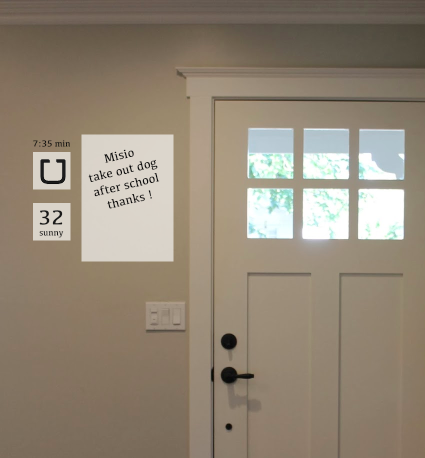
    we will have feeds of data. example could be friends, brands, cities, yelp, tours, work, and personal.

    groups of ideas

    – decorations or art
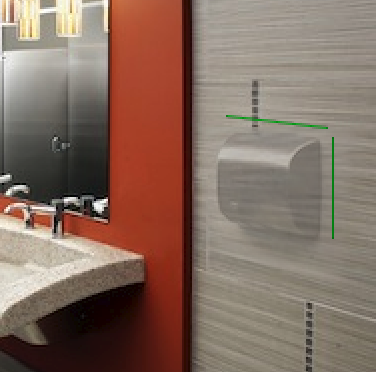
    we will be able to decorate our homes, people, buildings, or anything else we can think of. adding a painting to the wall, adding a sculpture on the table or filling a room with candles. We will also be able to invent new kinds of decorations such as adding new clothing to people (or taking it away) funny outfits on strangers as you walk down the street, new types of installations art and so on.

    – informations
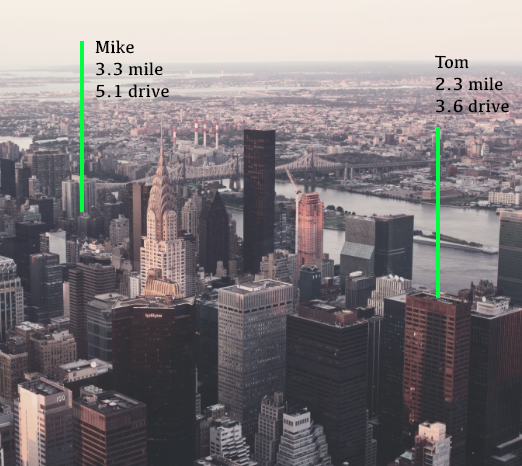
    we will have info about buildings that is geo based, instructions about products,

    – larger interfaces
    we will be able to have interfaces everywhere, they could be located around us, located at a certain locations or around a certain object. around us would be an interface that moves as we move, geo would be putting an interface on the table or on the wall and object would be following around my phone or computer.

    – new ways of designing
    we will be able to design objects in new ways such as go inside them, shrink or expand and so on.

    – new ways to communicate
    we will be able to leave virtual info for co workers to see.

    – better notifications
    we will be able to see where our friends, family and anyone willing to share info.
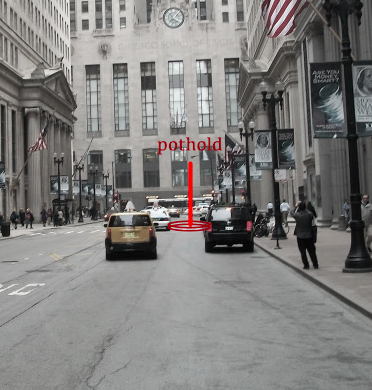
    we will be warned about potholes and cliffs

    – code halo:
    with object and facial recognition we can add visual data to objects. book reviews that follow books around, food, and any other objects that we can had informations around. reviews, how to, ingredients, where it was made, best price found online and so on

    – eliminations of clutter
    we may be able to lessen the impact of clutter by making it “disappear”.

    location based data
    object based data
    warnings

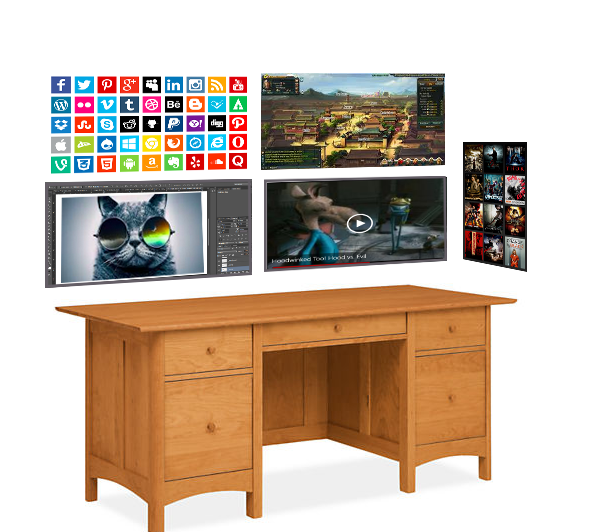
    1. multiple screens

    x – multiple desktops, multiple sizes, stored in diffrent places

    screen-shot-2017-02-13-at-8-56-13-pm

    2. data following objects (dog, clothing)

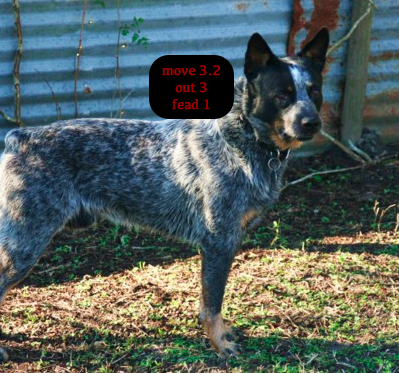
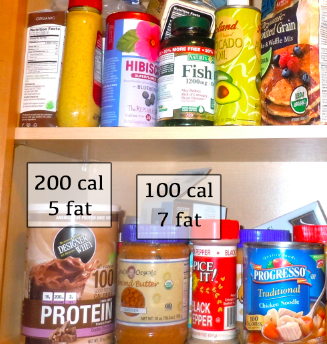
    x – image data following your dog around that shows steps, when last fed, when last outside. (this would need extra sensors)
    screen-shot-2017-02-13-at-8-55-59-pm

    x – data about how much water a plant needs (need extra sensors)
     screen-shot-2017-02-14-at-4-07-56-pm
    3. widgets.
    – social media
    – weather
    – messages

    – entertainment

    screen-shot-2017-02-13-at-9-02-07-pm

    4. decorations
    – postes
    – new types of art
    – candle stick (virtual candles in a room)
    screen-shot-2017-02-13-at-9-07-25-pm
    5. declutter
    X – eliminate clutter in the house visually
    Screen Shot 2017-02-14 at 6.34.18 PM.png

    – change work area fast
    6. never loose an object
    arrows pointing you to your keys
    screen-shot-2017-02-13-at-9-18-10-pm
    7. games
    – learning games
    – environment games (throw something)
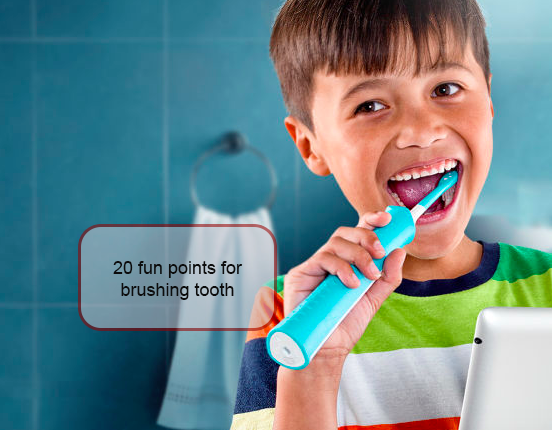
    – game-ifications of daily tasks
    Screen Shot 2017-02-13 at 9.23.20 PM.png
    – typical gamer type games
    x – see all screens open on a phone
    screen-shot-2017-02-14-at-4-16-27-pm
    8. instructions
    X – post it notes
    – add battery
    x -how to operate – fix printer
    screen-shot-2017-02-14-at-3-41-26-pm
    9. meetings
    – better presentations
    – see face to face, see facial and movement gestures to some extent
    – meet in interesting virtual locations with better collaboration tools
    10 entertainment
    x – light show (if lady gaga had a vr light show)
    Screen Shot 2017-02-14 at 6.47.08 PM.png

    x – theater play (in my house or add on at a theater)
    x- add ons (turn everyone into a unicorn) (puking rainbows)
    Screen Shot 2017-02-14 at 8.18.31 PM.png

    – horror (zombies coming out of wall

    – adult
    11. desition making.
    12. physical objects
    x – art, (i want a statue of an elephant and 2 mc esher etchings
    Screen Shot 2017-02-14 at 6.42.27 PM.png

    – photos (family photos)

    x – windows (i want a view of the ocean)
    Screen Shot 2017-02-14 at 6.39.10 PM.png

    x – interior design (turn the coach blue and the carpet stripped
    13. interface everywhere
    14. see before you buy
    x- furniture in house
    x – clothing fit and style
    x – interior product on wall
    screen-shot-2017-02-14-at-3-49-38-pm
    15. education
    – better explanation
    – better story telling
    16. heads up display
    x – notifications

    x – exercise data
    x – location data
    x – friend location data
    Screen Shot 2017-02-14 at 8.35.05 PM.png

    Screen Shot 2017-02-14 at 8.42.02 PM.png

    17. directions
    – how do i get to the restroom in the mall?
    Screen Shot 2017-02-14 at 8.46.01 PM.png

    – get back to my car

    18. new data visualisation

    19. face recognition
    – data form social network
    – dating data (on match.com, open to being approached, has a dog)
    – criminal record (legal or illegal database)
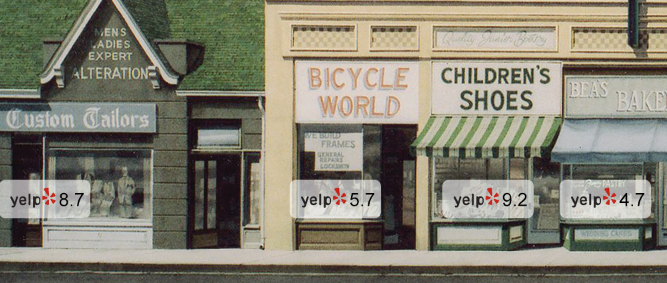
    – yelp, but for people. “reviews”
    store reviews in real time
    screen-shot-2017-02-14-at-3-56-55-pm
    20. warnings
    – pot hole
    screen-shot-2017-02-13-at-8-56-07-pm
    – person / object in dark
    – entering bad neighborhood
    – info on places you can and can not go
    – hiking / mountain biking / ski terrain warning
    21. product design
    – being able to see an object in real size and mention as you make it (quick turnaround time)
    22. leave messages at geo area

    – drop virtual objects for those in your feed

    screen-shot-2017-02-13-at-8-55-52-pm

    23. product demonstrations
    – explain how the new grill works
    24. advertising
    food
    Screen Shot 2017-02-14 at 8.24.19 PM.png
    25. do tasks such as
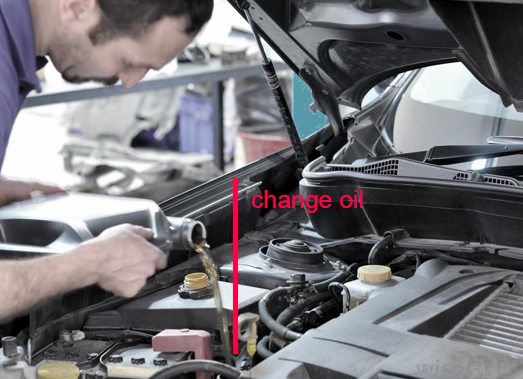
    – change oil
    screen-shot-2017-02-13-at-9-34-04-pm
    – fix bike
    – ikea
    26. exercise examples
    – yoga
    screen-shot-2017-02-13-at-9-39-49-pm
    – weight lifting
    – anything with form
    27. practice / driving / speaking
    – speak in front of other people
    – sports (see what your form in 3d)
    28. companionship / pets / virtual / human

    – virtual companions may help with some of peoples need for companionship


    29. communication
    30. turism
    – virtual guide that is geo based
     screen-shot-2017-02-14-at-4-05-23-pm


    where are my friends right now?

    Screen Shot 2017-02-14 at 8.35.05 PM.png

    what mountain is that?
    Screen Shot 2017-02-14 at 8.32.24 PM.png


    leave messages for self or friends at geo
    Screen Shot 2017-02-14 at 8.50.27 PM.png

    youtube:

    [youtube

    elements, UX and models??? – V@

    elements, UX and models???

    store models

    1. Do Good / Feel Good
    Stores such as Toms (gives a shoe for every show you purchase)
    Honest company (safe products for my family)

    3. innovative ways to shop
    social networks (buy buttons),
    scan a product (google),
    text message ,
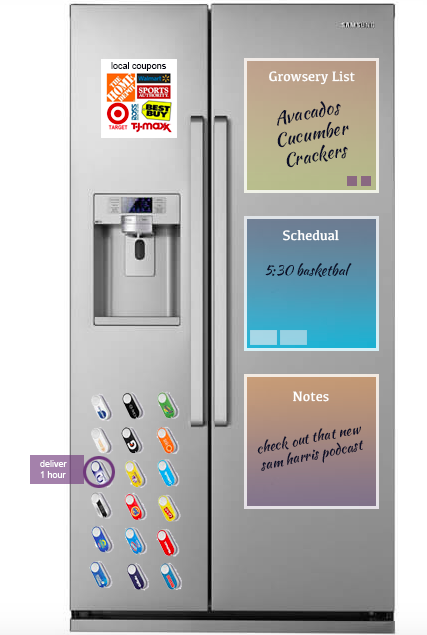
    physical button (amazon)

    4. innovative delivery ideas
    order online and pick up in store (walmart),
    same day delivery (grainger),
    drone (7-11)

    5. innovative ways of forming connections
    global (alibaba)
    local (craigslist)

    great experience:
    things that help make a site great for a user

    1. Discovery:
    interesting ways to discover / what your are looking for or other things you may want

    2. Information:
    useful product information such as reviews, videos, demos, comparisons

    3. Easy Website Flow:
    answer the questions when they need / clear and focused pages

    4. Easy Payment:
    easy to order / easy payment

    conversion optimisation:
    things that make a user more likely to convert

    1. social proof / reviews
    social proof can be used on a website to encourage the customer you are a legit and safe website as well as inform them about the product quality, features and use cases

    2. clear deal / anchor points
    list price, on sale, 25% off are examples of showing the product is a deal or giving a reference to what the price generally is

    3. eliminate “online fears”
    we have a lot of fears shopping on line. Payment, delivery, the right product ….

    4. scarcity:
    this can act as an incentives to get people to buy now and may tell people it is a popular product.

    5. easy to find accessories / ad ons
    every item a person buys gives you one more clue about what else they could be interested in. Make sure to use this informations to help them buy more or come back again to  make additional purchases

    templates

    1. templates (specifically header and footer)

    header:

    – logo

    – search

    – contact info

    – shopping cart indicator

    – product category navigation – site wide promos

    – site navigation

    – trust signals

    footer

    – contact info

    – more site wide links

    – site wide badgers or trust signals

    – recently viewed items

    – call to action (sign up for email / social media)

    header footer template goals:

    – Provide constancy to the web experience from page to page

    – Provide constancy to the web experiance from other sites to you site

    – Always provide a way back home, to search,site map in larger category view in the footer. (can we put all brands and categories on a page) some people may prefer looking that way. Especially repeat customers.

    – Give people an little bit of an idea of what the site is about

    – Provide high level navigation search and access to contact info.

    a footer says who you are – what can you do here – this is how you get around – we can answer any questions (look here or contact us)

    As with most areas in design it should have everything there person expects and give it to them in a delightful way.

    static pages

    static

    – about

    – contact

    – forms

    – legal

    – resource guides

    – blog

    ——-

    main goals:

    these pages have a few different reasons for existing.

    give people general info (about, blog)

    inform people about legal and procedures (return, shipping, terms service …)

    help people make decisions on a category or product (resources, blog)

    make it easy to contact or find general contact and store info (contact page, forms) build brand (about, blog, resources)

    help them contact you

    help them make a decisions build your brand

    legal statements

    9. my account

    my account

    – past orders

    – credit card or billing information / deliver information – info on tracking packages

    – any rewards points or better pricing

    product detail page

    6. product detail page

    product detail

    1 – clear price

    2 – clear call to action (add to cart)

    3 – info to make a decision on the product

    4 name of product / brand of product

    5 image

    6- related or other products people may be interested in 7. reviews

    8. social cues

    main goals:

    – make sure people have all of the info they need to make a decisions – people know price

    people get to product detail pages in a number of ways. From the home page, from a category list page, from a related product page, from google text or MPN text ad, Google Shopping ad, link from Amazon, Facebook, email to name a few. Because of this the site page must inform the user about the sites, have i or a friend shopped here before, is it trust worthy, is this the product i want, is the price right, when is it delivered, can i make a deceptions based on the info here, what if i have a problem, a return, do they have other products i may want? what do other say about this,

    1. clear price

    by the time a person has made it to the product detail page it is a

    2. clear call to action

    make it as easy for a person to take a next step. ideally this is:

    – add to cart but it could also be

    – add to Wishlist or

    – email to a friend.

    – find other products that are similar or complimentary

    Once a person has decided if product is right for them we want to make it as easy as possible to take the next step.

    3. Info to make a decision on the product

    This can be anything from price, images, specs, deliverability, reviews or anything else to help you know if this item is right for you. Will this fit, is it good quality, is it exactly what i am looking for.

    3.5 is this the place to get the product

    once you have decided this product is for you, you must decide if the specific store and offer is for you. Shipping speed, returns, easy to order, price and so on.

    4. name of product / brand of product

    This is almost a no brainer but a clearly something that has to be visible. The important or hierarchy on the page will depend on the type of product and customer but in general should be easy to find.

    5. image

    part of what it takes to make a decisions but gets its own sections as it is probably the most important in this area (depending on the type of product)

    6. related or other products people may be interested in.

    this is great fro product discovery. People may not see the exact product they want but displaying other options, prices or styles of a similar product or set of products is great for the user. This is especially useful if the person entered the site from a PLA

    7. reviews

    reviews are a great place to get honest feedback and social proof. If it is popular it is a great mental shortcut that it is worth getting or at least we will not be the only sucker.

    8. social cues

    just like reviews, social cues such as top seller, or a recommendation from a friend or trusted source can help us make a decision.